What is JSON and Why Does Every Application Use It
JSON's six data types, how it became the default over XML, the gotchas (no comments, no trailing commas, integer precision limits), JSON Schema, and JSON-LD.

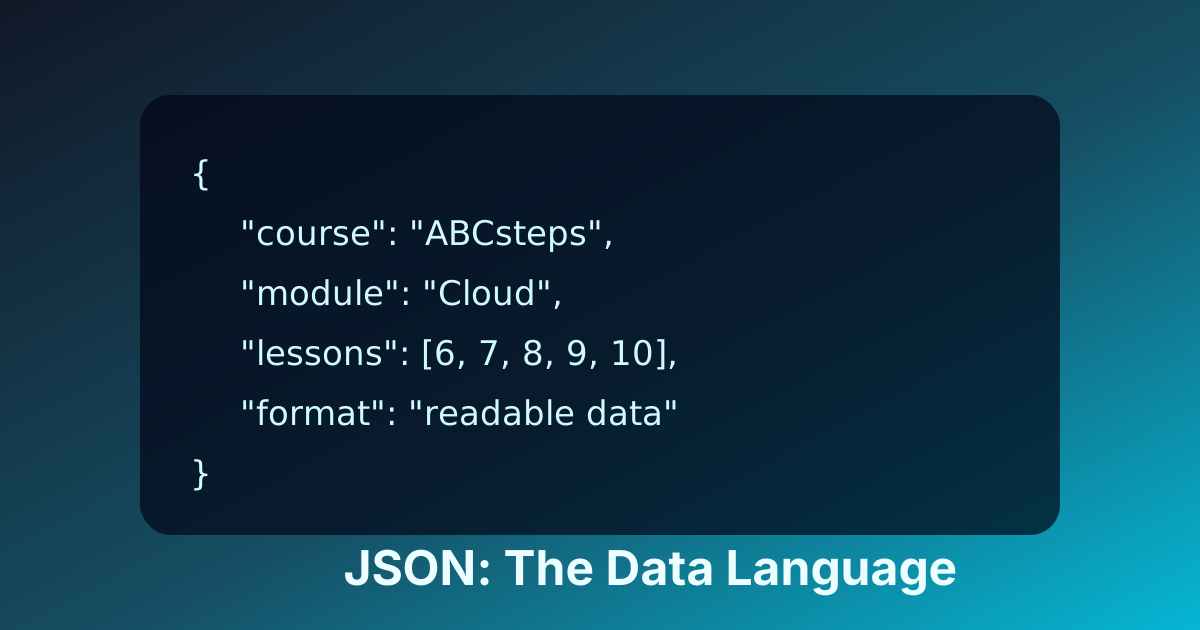
What JSON Actually Is
JSON (JavaScript Object Notation) is a text format for representing structured data. It has exactly six data types — object, array, string, number, boolean, null — and a small set of rules about how they nest. That's the entire specification.
Two systems exchanging data need to agree on a format. Before JSON took over in the mid-2000s, the dominant format on the web was XML (Extensible Markup Language). XML is verbose and rigid; JSON is compact and forgiving. The shift between them is a small story about how the web actually wins: smaller payloads, easier parsing, and being readable without tools usually beats being theoretically more powerful.
Why JSON Beat XML
XML emerged in the late 1990s as a subset of SGML. It was powerful, strictly structured, and could describe arbitrary data hierarchies — and for a decade it was the backbone of SOAP and enterprise systems. The catch is that XML was designed as a markup language for documents, not as a wire format for data structures. As the web shifted from static pages to dynamic applications, that mismatch produced friction:
- Syntactic Noise: XML is "verbose." The metadata (tags) often outweighs the actual data. A simple record in XML might look like this:
xml
<user> <id>101</id> <name>Alice</name> <email>[email protected]</email> </user> - Parsing Overhead: To process XML, computers typically use a Document Object Model (DOM) parser. This requires loading the entire document into memory and building a tree structure, which is resource-intensive for mobile devices and high-traffic servers.
- Schema Complexity: Technologies like DTD (Document Type Definition) and XML Schema (XSD) added layers of bureaucracy that, while providing strict validation, slowed down development in agile environments.
The "angle bracket tax"—the bandwidth and CPU cycles spent on processing redundant tags—became a significant bottleneck. This created a vacuum for a more streamlined, data-centric format.
Decoding the Anatomy: What JSON Is and How It Functions
JSON (JavaScript Object Notation) is a lightweight, text-based data-interchange format. Despite its name, it is language-independent. It is defined by two international standards: RFC 8259 and ECMA-404.
JSON’s design is based on a subset of the JavaScript Programming Language (Standard ECMA-262 3rd Edition). However, its syntax is so fundamental that it maps directly to the data structures found in almost every modern programming language: maps, dictionaries, records, lists, and arrays.
The Core Structures
JSON is built on two primary structures:
- An Object: A collection of name/value pairs. In various languages, this is realized as an object, record, struct, dictionary, hash table, keyed list, or associative array.
- An Array: An ordered list of values. In most languages, this is realized as an array, vector, list, or sequence.
The Six Fundamental Data Types
JSON supports a limited set of data types, which ensures its simplicity and ease of implementation across different platforms.
| Data Type | Description | Example |
|---|---|---|
| String | A sequence of zero or more Unicode characters, wrapped in double quotes. | "ABCsteps" |
| Number | An integer or floating-point number. No distinction between types. | 42 or 3.1415 |
| Boolean | A logical value representing truth or falsehood. | true or false |
| Null | Represents an empty value or "no data." | null |
| Object | An unordered set of name/value pairs wrapped in {}. | {"id": 1} |
| Array | An ordered collection of values wrapped in []. | ["a", "b", "c"] |
Syntax Rules and Validation
JSON syntax is strict. A single missing comma or a trailing comma in an array can cause a parser to fail. Key rules include:
- Data is in name/value pairs.
- Data is separated by commas.
- Curly braces
{}hold objects. - Square brackets
[]hold arrays. - Names (keys) must be double-quoted strings.
Example of a valid JSON structure:
{
  "course": "Backend Engineering",
  "instructor": {
    "name": "Dr. Aris",
    "active": true
  },
  "modules": [
    "HTTP Basics",
    "JSON Fundamentals",
    "RESTful Design"
  ],
  "max_students": null
}
The Philosophical Shift: From Document-Centric to Data-Centric
The transition from XML to JSON represented a fundamental shift in software philosophy. XML treats data as a document that needs to be annotated. JSON treats data as state—a snapshot of memory that can be moved between systems.
In modern software engineering, we view information as a collection of objects and arrays that mirror the internal memory structures of our code. JSON aligns with this view perfectly. When a developer fetches data from an API, they want that data to become a native object in their language of choice as quickly as possible.
In JavaScript, this process is native:
const userData = JSON.parse(jsonString);
console.log(userData.name);
In Python, it is nearly as seamless:
import json
user_data = json.loads(json_string)
print(user_data['name'])
This direct mapping reduces the "impedance mismatch" between the data on the wire and the data in the application's logic.
Why JSON Became the Industry Standard
The rise of JSON is inextricably linked to the emergence of AJAX (Asynchronous JavaScript and XML) in the mid-2000s. While the "X" in AJAX stood for XML, developers quickly realized that JSON was a superior vehicle for background data updates.
The Role of Douglas Crockford
Douglas Crockford is credited with formalizing the JSON specification. His insight was to keep the specification so minimal that it could fit on a single business card. By avoiding "feature creep," Crockford ensured that JSON would be stable and interoperable.
Unlike XML, which has various versions and complex extensions (like XPath or XSLT), JSON has essentially remained unchanged since its inception. This stability is a massive asset for long-term systems architecture; a JSON parser written in 2005 will still work perfectly today.
Performance Benchmarks: Payload and CPU
In distributed systems, performance is usually measured by two factors: payload size and parsing speed.
- Payload Size: Because JSON lacks closing tags (e.g.,
</name>), it is usually more compact than XML for object-shaped API data. This leads to faster transmission over the network and lower data costs for mobile users. - Parsing Speed: Native JSON parsers (like
JSON.parse()in browsers) are highly optimized at the engine level. Benchmarks consistently show that JSON parsing is faster than DOM-based XML parsing, often by an order of magnitude. In high-concurrency environments, this reduction in CPU usage allows servers to handle more requests per second.
Serialization and the Universal Translator
In the diverse ecosystem of modern software, JSON acts as a "universal translator" through the processes of serialization and deserialization.
- Serialization (Encoding): The process of converting an in-memory object (like a Java Class instance or a Ruby Hash) into a JSON string.
- Deserialization (Decoding): The process of taking a JSON string and turning it back into a native data structure.
This decoupling is critical. A backend service written in Go can serialize a struct into JSON and send it to a frontend written in TypeScript. Neither system needs to know about the other's internal memory layout or language-specific quirks. They only need to agree on the JSON format.
Language Independence Example
Consider a system where a Python microservice sends data to a Rust service.
Python (Sender):
import json

data = {"status": "processing", "items_count": 5}
json_payload = json.dumps(data)
# Send json_payload over HTTP
Rust (Receiver) using Serde:
use serde::{Deserialize};

#[derive(Deserialize)]
struct StatusUpdate {
    status: String,
    items_count: u32,
}

let update: StatusUpdate = serde_json::from_str(json_str).unwrap();
This cross-language compatibility is why JSON is the backbone of the modern web.
JSON in APIs and Microservices
The modern software architecture is built on APIs (Application Programming Interfaces). Most APIs today follow the REST (Representational State Transfer) architectural style, and JSON is the default format for RESTful communication.
REST and JSON
In a RESTful architecture, resources are identified by URLs, and the state of those resources is transferred via JSON. When you request a resource with an HTTP GET, the server responds with a JSON representation of that resource. When you want to create a resource, you send an HTTP POST with a JSON body.
HATEOAS and Self-Discoverable APIs
A more advanced concept in API design is HATEOAS (Hypermedia as the Engine of Application State). In this model, a JSON response includes not just data, but also links that tell the client what they can do next.
Example of a HATEOAS-compliant JSON response:
{
  "account_id": "12345",
  "balance": 500.00,
  "links": [
    { "rel": "self", "href": "/accounts/12345" },
    { "rel": "withdraw", "href": "/accounts/12345/withdraw" },
    { "rel": "deposit", "href": "/accounts/12345/deposit" }
  ]
}
This approach decouples the client from the server’s URL structure, allowing the backend to change its routing without breaking the frontend.
Microservices: The Common Tongue
In a microservices architecture, a single application is composed of many small, independent services. These services often need to communicate with each other thousands of times per second. JSON provides a lightweight, language-agnostic bridge that keeps the "communication tax" low while maintaining developer readability.
JSON in the Database: NoSQL and Beyond
The influence of JSON has moved from the transport layer into the persistence layer. This gave rise to Document-Oriented Databases.
NoSQL Databases (MongoDB)
Traditional relational databases (SQL) require a fixed schema. You must define your columns before you can save data. In contrast, NoSQL databases like MongoDB store data in a format called BSON (Binary JSON).
The benefits of storing data as JSON-like documents include:
- Flexibility: You can add new fields to a document without performing a "migration" or altering a table schema.
- Performance: Related data can be "nested" within a single document, reducing the need for expensive
JOINoperations. - Developer Velocity: The data in the database looks exactly like the data in the application code.
JSON in Relational Databases (PostgreSQL)
Even traditional relational databases have adapted. PostgreSQL introduced the JSONB data type, which stores JSON in a binary, indexed format. This allows developers to combine the ACID compliance of a relational database with the schema-less flexibility of JSON.
Example PostgreSQL query on a JSONB column:
SELECT info->>'customer'
FROM orders
WHERE info @> '{"status": "shipped"}';
This hybrid approach is increasingly popular for applications that have a mix of structured and semi-structured data.
Beyond the Browser: Mobile, IoT, and Configuration
Mobile Development
Mobile applications often operate on unstable networks with limited battery life. JSON's low overhead is a major advantage here. Smaller payloads mean the device's radio stays on for a shorter duration, preserving battery. Furthermore, the simplicity of JSON parsing ensures that the main UI thread isn't blocked by heavy data processing.
The Internet of Things (IoT)
In IoT, devices like smart sensors or thermostats have very limited CPU and memory. JSON has become a standard for telemetry (sending data from the device to the cloud). Its text-based nature makes it easy for developers to debug the data coming off a sensor, while its structured nature makes it easy for cloud platforms like AWS IoT or Google Cloud IoT to route and process that data.
Software Configuration
JSON has largely replaced .ini files and complex XML configurations.
- NPM/Node.js: Uses
package.jsonto manage dependencies. - VS Code: Stores all user settings in
settings.json. - Terraform: Can use JSON for infrastructure-as-code definitions.
The reason is "cognitive portability." Once a developer understands JSON, they can configure almost any modern tool without learning a new syntax.
Comparing Alternatives: JSON vs. YAML vs. TOML
While JSON is the leader, other formats exist for specific use cases.
| Format | Best For | Pros | Cons |
|---|---|---|---|
| JSON | APIs, Data Transfer | Universal support, strict, fast. | No comments, can be verbose for humans. |
| YAML | Config Files | Supports comments, very readable. | Indentation-sensitive, complex spec. |
| TOML | Minimal Config | Simple, maps well to hash tables. | Not great for deeply nested data. |
One major limitation of JSON is that it does not support comments. This makes it less than ideal for complex configuration files where documentation is needed. YAML is often preferred for CI/CD pipelines (like GitHub Actions) for this reason.
Security Considerations: JSON Injection and "Bombs"
As JSON became ubiquitous, it also became a target for attackers. Security in JSON handling is critical.
Insecure Deserialization
If an application takes a JSON string from an untrusted source and blindly converts it into an object, it can be vulnerable to Insecure Deserialization. An attacker might include unexpected keys or data types that trigger logic errors or, in some languages, execute arbitrary code.
JSON Bombs (Resource Exhaustion)
A "JSON Bomb" is a deeply nested object designed to crash a parser.
{"a":{"a":{"a":{"a":{"a": ... }}}}}
When a parser tries to process thousands of nested levels, it can run out of stack memory, leading to a Denial of Service (DoS). Modern parsers usually have a nesting limit (e.g., 100 levels) to prevent this.
Best Practices for Secure JSON
- Use Schema Validation: Use JSON Schema to validate that the incoming data matches the expected structure, types, and ranges.
- Set Size Limits: Never accept infinitely large JSON payloads. Set a maximum body size at the API gateway level.
- Use Reputable Libraries: Always use standard, well-maintained libraries for parsing rather than writing custom regex-based parsers.
The Limitations of the Format
JSON is an "all-rounder," but it is not perfect for every task.
Lack of Binary Support
JSON is a text format. If you need to send an image or a PDF via JSON, you must encode it as a Base64 string. That encoding adds overhead, which is inefficient for high-performance applications.
Limited Data Types
JSON does not have a native Date type. Developers must agree on a convention, such as:
- ISO 8601 Strings:
"2023-10-27T10:00:00Z" - Unix Timestamps:
1698400800
This lack of a standard date type often leads to bugs when different systems interpret time zones differently.
High-Performance Alternatives
For internal communication between microservices where performance is the absolute priority, many companies use Protocol Buffers (Protobuf) or Avro. These are binary formats that are much smaller and faster than JSON but are not human-readable.
The Future: JSON Schema, JSON-LD, and AI
JSON continues to evolve to meet modern needs.
JSON Schema
As JSON moved into enterprise environments, the need for "contracts" emerged. JSON Schema allows you to define a vocabulary for your JSON data. It acts as a blueprint, specifying which fields are required, what their types should be, and what patterns they must follow. This brings the safety of XML's XSD to the flexibility of JSON.
JSON-LD and the Semantic Web
JSON-LD (JSON for Linked Data) is a method of encoding linked data using JSON. It allows data to be interconnected across the web. For example, search engines use JSON-LD to understand that a piece of data on a website represents a "Product" or an "Event," allowing them to display rich snippets in search results.
JSON in the Age of AI
Perhaps the most significant recent development is JSON’s role in Artificial Intelligence. Large Language Models (LLMs) like GPT-4 are excellent at generating text, but code requires deterministic data.
Developers use "Function Calling" to force an AI to output its reasoning in valid JSON. This allows the AI to interact with traditional software systems. For example, an AI can "decide" to book a flight and output the flight details in a JSON format that a booking API can process. JSON has become the bridge between the probabilistic world of AI and the deterministic world of software.
What to do next
JSON looks easy until you ship something with it. Three exercises that lock in the practical knowledge:
- Hand-write 20 lines of JSON representing a small structure you care about — a list of bookmarks, a config file, a learner profile. Run it through
JSON.parse()in a browser console. The errors you hit are the lessons. - Hit the precision wall on purpose: try to round-trip a number like
9007199254740993throughJSON.parse(JSON.stringify(...))in JavaScript. Watch it become9007199254740992. This is the single gotcha that bites the most engineers in finance and timestamps. - Write a tiny JSON Schema for a domain you understand and validate three sample documents against it. Once you've done this once, you'll never want to ship an API without schema validation again.
If you want a guided lesson where these gotchas are explored on real data, the ABCsteps Lesson 08 — JSON: The Data Format Apps Share — is the natural next step.
Apply this hands-on · Module B
JSON: The Data Format Apps Share
Lesson 08 has you read structured data, write valid JSON, and debug the most common mistakes — trailing commas, type confusion, missing quotes. This article gives the 'why JSON exists'; the lesson gives the working hands.



Skill vocabulary from the lesson
Tool logos are curriculum references only: no affiliation, hiring promise, salary promise, or placement guarantee.
Company skill surface
JSON literacy appears everywhere because products, APIs, config, analytics, and AI calls all move structured data.






Team contexts
API teams, Data tooling, App configuration
Proof prompt
Show a valid data shape, explain each field, and document the mistake you debugged.
Company and platform logos are ecosystem references only: no affiliation, endorsement, interview access, hiring preference, salary outcome, or placement guarantee.
Open lesson
Divyanshu Singh Chouhan
Founder, ABCsteps Technologies
Founder of ABCsteps Technologies. Building a 20-lesson AI engineering course that teaches AI, ML, cloud, and full-stack development through written lessons and real projects.


After this article
Choose the next proof-bearing step.
Do not collect another article by default. Move into a public lesson, continue a focused path, or bring a concrete repo question to a paid-plan conversation.
Use paid guidance only when it changes the artifact: a repo, demo, written note, architecture decision, or review trail another person can inspect.
BuildContinue public lessons
Open the 20-lesson path and turn the concept into a runnable artifact.
 Read
ReadFollow a focused path
Use a short article sequence only when one lesson needs more context.
DecideCompare plans
Use a paid plan only if feedback, accountability, or review would change the work.
 Ask
AskAsk with context
Send the lesson, repo, error, or decision you want reviewed before scheduling a call or review.
Related Articles
On this page
Article context
Structured data surface
Read this article as data vocabulary: shape, validation, storage, query behavior, and contracts between systems.


Tool and platform logos are article-context references only: no affiliation, endorsement, interview access, hiring promise, salary promise, or placement guarantee.
Share