What is Git and Why Every Developer Needs It
Why Git is a distributed version-control system, how its snapshot model differs from delta-based predecessors, what a SHA-1 hash actually represents, and the DAG behind every history.

The Evolution of Version Control: From Chaos to Coordination
Before the wide adoption of modern version control, software development was a fragmented and risky process. Engineers often relied on "manual versioning," which involved duplicating entire project folders and appending timestamps or version numbers (e.g., project_v1, project_v2_final, project_v2_final_fixed). This approach provided no way to track specific changes, no mechanism for identifying who made a change, and no safe method for merging work from multiple contributors.
The first generation of formalized tools were Local Version Control Systems, which maintained a database on a single computer. While better than manual copies, they offered no way for teams to collaborate. This led to the rise of Centralized Version Control Systems (CVCS), such as Subversion (SVN) and Perforce.
In a CVCS, a single central server contains all versioned files. Developers "check out" files from this central source, make changes, and commit them back. While this allowed for team collaboration, it introduced a critical bottleneck: the central server was a single point of failure. If the server went down, no one could collaborate or save versioned changes. If the central database became corrupted and backups were unavailable, the entire history of the project was lost.
Git emerged as a solution to these structural vulnerabilities by introducing the Distributed Version Control System (DVCS) model. In a distributed system, every developer’s local machine contains a full mirror of the entire project history. This architectural shift transformed version control from a fragile client-server relationship into a resilient, peer-to-peer network.
The Origin of Git: Performance and Integrity
Git was created in 2005 by Linus Torvalds, the creator of the Linux kernel. The project was born out of necessity after the Linux development community lost access to BitKeeper, a proprietary DVCS they had been using. Torvalds sought to build a tool that met several high-stakes requirements:
- Speed: It had to handle the massive scale of the Linux kernel efficiently.
- Simple Design: It needed a logical internal structure.
- Strong Support for Non-linear Development: It had to allow thousands of parallel branches.
- Fully Distributed: It could not rely on a central server for core operations.
- Data Integrity: It had to be impossible to alter history without the system detecting it.
The result was Git. Unlike its predecessors, Git does not treat version control as a list of file changes. Instead, it treats data as a series of snapshots. This distinction is fundamental to understanding why Git performs differently than other systems.
The Snapshot Model: How Git Stores Data
Most older version control systems store information as a list of file-based changes. This is often called delta-based versioning. When you want to see a specific version of a file, the system must "calculate" that version by starting with the original file and applying every recorded change (delta) in sequence.
Git takes a different approach. Every time you commit your work, Git takes a snapshot of what all your files look like at that moment. To stay efficient, if a file has not changed between versions, Git does not store the file again. Instead, it creates a link to the previous identical version it has already stored.
The Directed Acyclic Graph (DAG)
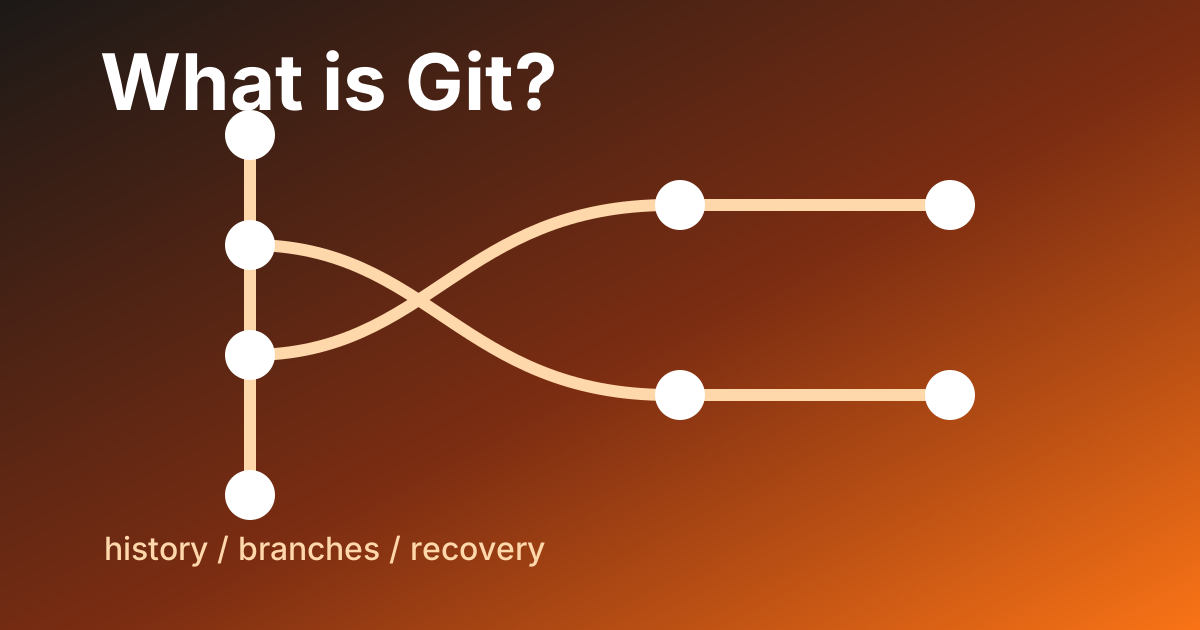
Internally, Git models the history of a project as a Directed Acyclic Graph (DAG). Each commit is a node in this graph, and it points to its parent commit (the version that came before it).
- A standard commit has one parent.
- A merge commit has two or more parents.
- The very first commit (root) has no parents.
By representing history as a graph of snapshots rather than a linear list of changes, Git can perform complex operations—like branching and merging—almost instantaneously.
Data Integrity and the SHA-1 Hash
Every object in Git (files, directory structures, and commits) is identified by a unique 40-character hexadecimal string known as a SHA-1 hash. This hash is calculated based on the content of the data and its metadata.
# Example of a Git commit hash
commit 4a3b2c1d9e8f7a6b5c4d3e2f1a0b9c8d7e6f5a4b
Because the hash is derived from the content, Git is content-addressable. If you change a single character in a file, the hash of that file changes. This cascades upward: the hash of the directory changes, and the hash of the commit changes. This mechanism ensures that it is mathematically impossible to change the contents of a file or a commit message in the past without Git detecting it. This provides a "chain of custody" for your code, ensuring that the history you see is exactly what was recorded.
Note: While Git is transitioning toward SHA-256 to address theoretical vulnerabilities in SHA-1, the fundamental principle of cryptographic content-addressing remains the core of its integrity model.
The Three States: Working, Staging, and Repository
One of the most common points of confusion for new Git users is the "Staging Area." To use Git effectively, you must understand the three distinct areas where your code lives:
1. The Working Directory
This is the local folder on your computer where you are currently editing files. These files are pulled out of the compressed database in the Git directory and placed on your disk for you to modify.
2. The Staging Area (The Index)
The Staging Area is a file, generally contained in your Git directory, that stores information about what will go into your next commit. It acts as a "buffer" or a "pre-production" area.
In other systems, you might commit all changes at once. In Git, you use the git add command to move specific changes from the Working Directory to the Staging Area. This allows you to craft atomic commits—commits that contain only related changes—even if you have modified dozens of unrelated files in your working directory.
3. The Repository (The .git Directory)
Once you run git commit, Git takes the snapshots currently in the Staging Area and stores them permanently in the .git directory. This directory is the "brain" of your project, containing the full history and all metadata. When you "clone" a repository, this is what you are downloading.
Lightweight Branching: The Engine of Innovation
In Git, a branch is not a full copy of your source code. Instead, a branch is simply a lightweight, movable pointer to one of your commits. The default branch name in most projects is main or master. As you make commits, the pointer for your current branch automatically moves forward to the latest commit.
Why Lightweight Branching Matters
In older systems, creating a branch involved copying all project files to a new directory on the server, which was slow and resource-intensive. In Git, creating a branch is nearly instantaneous because it only involves creating a new 40-character file that points to a specific commit.
# Creating a new branch is a pointer operation
git checkout -b feature-authentication
This efficiency encourages a Feature Branch Workflow. Instead of everyone working on the same "main" line of code—which leads to broken builds and instability—developers create a branch for every task. They can experiment, fail, and iterate in total isolation. If the experiment fails, they delete the branch. If it succeeds, they merge it back into the main line.
Reconciling History: Merge vs. Rebase
When it is time to combine work from two different branches, Git provides two primary methods: Merging and Rebasing. Each has specific trade-offs regarding how the project history is represented.
Git Merge
A merge takes the contents of a source branch and integrates them into a target branch. Git finds a "common ancestor" between the two branches and performs a "three-way merge" to create a new merge commit.
- Pros: It is non-destructive and preserves the exact chronological history of when branches were created and joined.
- Cons: In active projects, the history can become a "tangled web" of merge commits, making it harder to read.
Git Rebase
Rebasing "re-writes" the history by taking all the commits from one branch and applying them one by one onto the tip of another branch.
- Pros: It results in a perfectly linear history that is very easy to navigate and search.
- Cons: It alters history. You should never rebase commits that have already been pushed to a public repository, as it will break the history for other collaborators.
Collaboration in the Modern Ecosystem
While Git is a decentralized tool, most professional teams use a central hosting provider to coordinate their work. According to the 2024 Stack Overflow Developer Survey, Git is utilized by over 93% of developers, with platforms like GitHub, GitLab, and Bitbucket serving as the primary hubs for collaboration.
Git vs. GitHub: A Necessary Distinction
It is common to use these terms interchangeably, but they are distinct:
- Git is the command-line tool (the engine) that manages version history on your local machine.
- GitHub is a web-based platform (the garage) that hosts Git repositories and provides a graphical interface for features like Pull Requests, Issue Tracking, and User Management.
Pull Requests and Code Review
The Pull Request (PR) is a workflow popularized by GitHub (often called a Merge Request in GitLab). It is a formal request to merge a branch into the main codebase. PRs serve as a digital meeting room where team members can:
- Discuss the proposed changes.
- Perform automated testing (CI/CD).
- Request specific line-by-line improvements.
- Approve the code before it reaches production.
This process is the foundation of modern software quality assurance, ensuring that no code is deployed without a second pair of eyes.
Handling Conflict: The Safety of Merge Conflicts
A merge conflict occurs when two developers modify the same line of the same file in different ways, and Git is unable to determine which version is "correct."
<<<<<<< HEAD
print("Hello, World!")
=======
print("Hello, Universe!")
>>>>>>> feature-update
While beginners often fear conflicts, they are actually a vital security feature. Git is designed to be safe by default. It refuses to guess which change is more important, as an incorrect guess could introduce silent bugs into a system. Instead, Git pauses the merge and marks the conflict clearly in the file. The developer must then manually resolve the discrepancy, ensuring that the final code is intentional and functional.
Advanced Diagnostic Tools: Git Bisect
One of Git’s most powerful yet underutilized features is git bisect. When a bug is discovered in a large project, but it is unclear when it was introduced, git bisect uses a binary search algorithm to find the offending commit.
- You mark the current version as "bad."
- You find an older version (e.g., from two weeks ago) where the code worked and mark it as "good."
- Git automatically checks out a commit in the middle and asks you to test it.
- You tell Git if that version is "good" or "bad."
- Git repeats the process, narrowing down the search area by half each time.
In a project with 1,000 commits, git bisect can identify the exact commit that introduced the bug in roughly 10 steps. This scientific approach to debugging is significantly faster than manual "trial and error" searching.
Professional Best Practices
To extract the most value from Git, engineering teams generally follow a set of disciplined practices:
Atomic Commits
A commit should represent a single logical change. If you fix a typo, add a new API endpoint, and update a dependency, these should be three separate commits. This makes it easier to:
- Revert a specific change without losing unrelated work.
- Understand the history during a code review.
- Apply a specific fix to another branch (cherry-picking).
Descriptive Commit Messages
A good commit message explains why a change was made, not just what was changed. The code shows the "what," but the message records the intent.
- Bad:
fixed bug - Good:
Fix: resolve null pointer exception in user login handler when email is missing
Git Hooks for Automation
Git allows you to trigger scripts locally when specific actions occur (e.g., before a commit or before a push). These are called Git Hooks. For example, a pre-commit hook can automatically run a linter or a test suite to ensure that no "broken" code ever leaves a developer's machine.
The Limitations of Git
Despite its dominance, Git is not a perfect solution for every scenario. It is important to recognize its limitations:
- Large Binary Files: Git is optimized for text-based source code. It performs poorly when tracking large binary files (like high-resolution videos or 3D models) because every version of the file is stored in the history, causing the repository size to explode. Tools like Git LFS (Large File Storage) were created specifically to address this.
- Learning Curve: The Git command-line interface is notoriously complex and often criticized for its inconsistent naming conventions.
- Shallow History: While having the full history locally is a benefit for safety, it can be a burden for extremely large monorepos (like those at Google or Microsoft), where downloading the entire history would take hours and gigabytes of space.
What to do next
Theory of Git is most useful as a model in your head while you do it. Three concrete things to lock in the model:
- Run
git log --graph --oneline --allon a real repository (yours or any open-source project). Watch the DAG materialize. The graph is the truth — branches are pointers, merges are commits with multiple parents, the whole thing is just nodes and edges. - Inspect a commit's hash content:
git cat-file -p <hash>. You'll see the tree it points to, the parent, the author, the message. The hash is a function of all of this — which is why Git history is tamper-evident. - Make a deliberately small commit today and write a
whyin the message, not awhat. The discipline pays back when you (or future-you) is debugging in six months.
If you want a guided path that takes Git from "abstract concept" to "working portfolio repository on GitHub," the ABCsteps Lesson 05 is built exactly for that.
Apply this hands-on · Module A
Your Developer Passport: GitHub
Lesson 05 takes Git from theory to your first published repository on GitHub. This article is the model in your head; the lesson is what moves it into your fingers.



Skill vocabulary from the lesson
Tool logos are curriculum references only: no affiliation, hiring promise, salary promise, or placement guarantee.
Company skill surface
A repository is the simplest public proof surface for internships, freelance work, and engineering interviews.





Team contexts
Engineering hiring loops, Open-source collaboration, Freelance delivery
Proof prompt
Show a clean repo with meaningful commits, a short README, and a working project path.
Company and platform logos are ecosystem references only: no affiliation, endorsement, interview access, hiring preference, salary outcome, or placement guarantee.
Open lesson
Divyanshu Singh Chouhan
Founder, ABCsteps Technologies
Founder of ABCsteps Technologies. Building a 20-lesson AI engineering course that teaches AI, ML, cloud, and full-stack development through written lessons and real projects.


After this article
Choose the next proof-bearing step.
Do not collect another article by default. Move into a public lesson, continue a focused path, or bring a concrete repo question to a paid-plan conversation.
Use paid guidance only when it changes the artifact: a repo, demo, written note, architecture decision, or review trail another person can inspect.
BuildContinue public lessons
Open the 20-lesson path and turn the concept into a runnable artifact.
ReadFollow a focused path
Use a short article sequence only when one lesson needs more context.
DecideCompare plans
Use a paid plan only if feedback, accountability, or review would change the work.
 Ask
AskAsk with context
Send the lesson, repo, error, or decision you want reviewed before scheduling a call or review.
Related Articles
On this page
Article context
Engineering workspace surface
Read this article as workspace vocabulary: editor habits, source control, review loops, and project navigation.
Tool and platform logos are article-context references only: no affiliation, endorsement, interview access, hiring promise, salary promise, or placement guarantee.
Share