Build Your First REST API With Node.js and Express
A REST API is a server program that listens for HTTP requests and replies with JSON. By the end of this article, you will have one running on your machine. I...

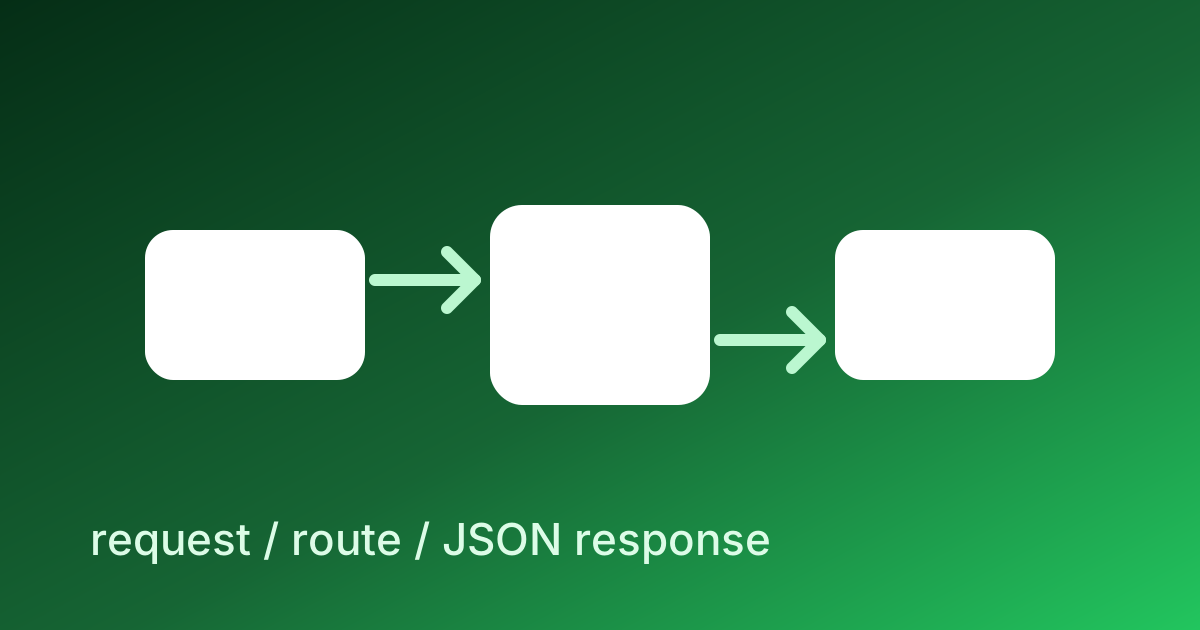
What You Are Building
A REST API is a server program that listens for HTTP requests and replies with JSON. By the end of this article, you will have one running on your machine. It will store a list of tasks, let you create new ones, mark them complete, and delete them. The whole thing is about 100 lines of JavaScript and uses two npm packages — Express and better-sqlite3.
This is the same pattern that powers most production backends in 2026. The frameworks change, the database changes, the deployment platform changes — but the loop of "receive HTTP request → look at the database → return JSON" is the same in every Node.js backend ever written.
If you have read What Is an API and How HTTP Actually Works, this article assembles those concepts into running code.
What You Need First
Before any of the code, install Node.js 20 or newer. Open your terminal and check:
node --version
# v20.10.0 (or higher)
If that command is not found, install Node from nodejs.org or via nvm. Once Node is installed, npm comes with it.
Make a new directory for the project:
mkdir tasks-api
cd tasks-api
npm init -y
npm init -y creates a package.json file with default values. It is the manifest that lists what your project depends on.
Now install the two libraries:
npm install express better-sqlite3
That is the entire setup. About 30 seconds of work. You now have a project ready for code.
The Smallest Possible Server
Create a file called server.js and put this in it:
import express from 'express'

const app = express()
app.use(express.json())

app.get('/', (req, res) => {
  res.json({ status: 'ok', message: 'tasks-api is running' })
})

app.listen(3000, () => {
  console.log('Listening on http://localhost:3000')
})
Then add this line to package.json so Node treats your file as a module:
{
  "type": "module",
  ...
}
Run it:
node server.js
You see Listening on http://localhost:3000. Open http://localhost:3000 in your browser and you see {"status":"ok","message":"tasks-api is running"}. That is a working server. Twelve lines. Press Ctrl+C to stop it.
Adding the Database
SQLite is a file-based database — no separate server, no setup, no password. The better-sqlite3 library opens a file and gives you a synchronous API to read and write it. Update server.js:
import express from 'express'
import Database from 'better-sqlite3'

const db = new Database('tasks.db')
db.exec(`
  CREATE TABLE IF NOT EXISTS tasks (
    id INTEGER PRIMARY KEY AUTOINCREMENT,
    title TEXT NOT NULL,
    done INTEGER NOT NULL DEFAULT 0,
    created_at TEXT NOT NULL DEFAULT (datetime('now'))
  )
`)

const app = express()
app.use(express.json())

// (routes coming next)

app.listen(3000, () => {
  console.log('Listening on http://localhost:3000')
})
The CREATE TABLE IF NOT EXISTS runs on every server start. The first time, it creates the table. Every other time, it does nothing. The tasks.db file appears in your project directory the first time you start the server.
The Five Core Routes
Now the actual API. Replace // (routes coming next) with these five handlers:
// LIST all tasks
app.get('/api/tasks', (req, res) => {
  const tasks = db.prepare('SELECT * FROM tasks ORDER BY created_at DESC').all()
  res.json(tasks)
})

// GET one task by id
app.get('/api/tasks/:id', (req, res) => {
  const task = db.prepare('SELECT * FROM tasks WHERE id = ?').get(req.params.id)
  if (!task) {
    return res.status(404).json({ error: 'task not found' })
  }
  res.json(task)
})

// CREATE a new task
app.post('/api/tasks', (req, res) => {
  const { title } = req.body
  if (!title || typeof title !== 'string' || title.length < 1 || title.length > 200) {
    return res.status(400).json({ error: 'title is required (1-200 chars)' })
  }
  const result = db.prepare('INSERT INTO tasks (title) VALUES (?)').run(title)
  const task = db.prepare('SELECT * FROM tasks WHERE id = ?').get(result.lastInsertRowid)
  res.status(201).json(task)
})

// UPDATE a task (toggle done)
app.patch('/api/tasks/:id', (req, res) => {
  const { done } = req.body
  if (typeof done !== 'boolean') {
    return res.status(400).json({ error: 'done must be a boolean' })
  }
  const result = db.prepare('UPDATE tasks SET done = ? WHERE id = ?').run(done ? 1 : 0, req.params.id)
  if (result.changes === 0) {
    return res.status(404).json({ error: 'task not found' })
  }
  const task = db.prepare('SELECT * FROM tasks WHERE id = ?').get(req.params.id)
  res.json(task)
})

// DELETE a task
app.delete('/api/tasks/:id', (req, res) => {
  const result = db.prepare('DELETE FROM tasks WHERE id = ?').run(req.params.id)
  if (result.changes === 0) {
    return res.status(404).json({ error: 'task not found' })
  }
  res.status(204).end()
})
Five routes. About 40 lines. Re-run node server.js. You now have a complete CRUD API.
Trying It Out
Open a second terminal (leave the server running in the first). Make some requests with curl:
# Create a task
curl -X POST http://localhost:3000/api/tasks \
  -H 'Content-Type: application/json' \
  -d '{"title":"Write the article"}'
# {"id":1,"title":"Write the article","done":0,"created_at":"2026-04-29 14:30:00"}

# Create another
curl -X POST http://localhost:3000/api/tasks \
  -H 'Content-Type: application/json' \
  -d '{"title":"Push to GitHub"}'

# List all
curl http://localhost:3000/api/tasks

# Mark task 1 as done
curl -X PATCH http://localhost:3000/api/tasks/1 \
  -H 'Content-Type: application/json' \
  -d '{"done":true}'

# Delete task 2
curl -X DELETE http://localhost:3000/api/tasks/2 -i
# HTTP/1.1 204 No Content
Each curl is a real HTTP request to your server. The server reads tasks.db, mutates it, returns JSON. Stop and restart the server — your tasks are still there because they live in the file.
What Each Route Demonstrates
Reading the routes one more time, each one corresponds to a piece of standard REST design:
- List uses
GET /api/tasksand returns an array. No body, no auth, idempotent. HTTP caches can store it. - Get one uses
GET /api/tasks/:id. The path parameter:idis captured automatically by Express. A missing task returns404, not an empty response — clients need to distinguish. - Create uses
POST /api/taskswith the data in the body. Returns201 Createdwith the new resource. Validates input first; bad input gets400with a message. - Update uses
PATCHfor partial updates. Returns the updated resource so the client does not have to re-fetch. Missing returns404. - Delete uses
DELETEand returns204 No Content— there is nothing meaningful to return after a delete.
These status codes are not decoration. They are how the client knows what happened, and using the right code lets every HTTP tool on the planet (caches, retry libraries, monitoring) work correctly with your API.
Errors Are Part of the API
Notice that every handler that can fail has an explicit error path. New engineers often skip this — return data on success, crash on failure. That makes for a brittle API.
A more careful pattern wraps every handler:
app.use((err, req, res, next) => {
  console.error(err)
  res.status(500).json({ error: 'internal server error' })
})
This is the global error handler. If any handler throws, Express routes the error here. The client gets a JSON error instead of a confusing HTML stack trace. In production you would also send the error to a monitoring service (Sentry, Bugsnag) so you find out when things break before users do.
Validation Deserves a Real Library
The hand-written validation in the handlers above is fine for two routes. For ten or twenty routes, repetition becomes a maintenance problem and edge cases sneak through. Production Node.js APIs use a validation library — Zod is the de facto standard in 2026:
import { z } from 'zod'

const CreateTaskSchema = z.object({
  title: z.string().min(1).max(200),
})

app.post('/api/tasks', (req, res) => {
  const result = CreateTaskSchema.safeParse(req.body)
  if (!result.success) {
    return res.status(400).json({ error: result.error.issues })
  }
  const { title } = result.data
  // ... rest of the handler
})
Zod gives you both validation and TypeScript types from the same schema definition. Once you have Zod in the project, validating new fields is one line per field. The amount of bug-prevention this buys is large enough that it pays for itself within a week.
What's Missing for Production
The 100 lines you have written are a complete API. They are not a production API. The gaps are:
- Authentication — anyone who can reach the server can create, edit, delete tasks. A real API would issue API keys or use OAuth.
- Authorization — separate from authentication: who is allowed to do what. Tasks should belong to users; users should only see their own tasks.
- Rate limiting — without it, a single bad actor can flood the server. The
express-rate-limitmiddleware adds this in two lines. - Input sanitization — Zod handles types but not content (XSS in titles, SQL injection if you stop using parameterized queries). The fix is to never concatenate user input into SQL — always use placeholders, which
better-sqlite3does by default with?. - Logging — write requests to a structured log (
pino,winston) so you can debug production.console.logis fine for development; production needs more. - Tests — at minimum, integration tests using
supertestthat hit the API and check responses. - Deployment — running
node server.json your laptop is not the same as running it on a cloud server with a process manager (pm2, systemd) and HTTPS termination (a reverse proxy or platform-managed cert).
Each of these is a real chapter on its own. The lesson 13 path through the curriculum walks you through the most important ones in the order that matters.
Where This Fits
Lesson 13 of the ABCsteps curriculum has you build a REST API for the leaderboard project. The structure of that API is the same five-route pattern you just built. The lesson walks you through it step-by-step against a real project. With this article in your head, you will recognize the shape immediately — list, read-one, create, update, delete. Five routes, the standard backend's worth of structure. The lesson assembles the parts into a project; this article showed you the parts.
Apply this hands-on · Module C
Create Your Own API
Lesson 13 has you write a real API in Node. This article walks through the same pattern at conceptual depth so the lesson's keystrokes have meaning.



Skill vocabulary from the lesson
Tool logos are curriculum references only: no affiliation, hiring promise, salary promise, or placement guarantee.
Company skill surface
Backend and full-stack teams care less about the framework name and more about clear endpoint behavior.






Team contexts
Backend engineering, API platform, Full-stack product teams
Proof prompt
Show the endpoint, sample input, sample output, error case, and the frontend call that uses it.
Company and platform logos are ecosystem references only: no affiliation, endorsement, interview access, hiring preference, salary outcome, or placement guarantee.
Open lesson
Divyanshu Singh Chouhan
Founder, ABCsteps Technologies
Founder of ABCsteps Technologies. Building a 20-lesson AI engineering course that teaches AI, ML, cloud, and full-stack development through written lessons and real projects.


After this article
Choose the next proof-bearing step.
Do not collect another article by default. Move into a public lesson, continue a focused path, or bring a concrete repo question to a paid-plan conversation.
Use paid guidance only when it changes the artifact: a repo, demo, written note, architecture decision, or review trail another person can inspect.
 Build
BuildContinue public lessons
Open the 20-lesson path and turn the concept into a runnable artifact.
 Read
ReadFollow a focused path
Use a short article sequence only when one lesson needs more context.
DecideCompare plans
Use a paid plan only if feedback, accountability, or review would change the work.
 Ask
AskAsk with context
Send the lesson, repo, error, or decision you want reviewed before scheduling a call or review.
Related Articles
On this page
Article context
Programming language surface
Read this article as programming vocabulary: syntax, runtime behavior, types, debugging, and readable implementation.

Tool and platform logos are article-context references only: no affiliation, endorsement, interview access, hiring promise, salary promise, or placement guarantee.
Share